From notebooks and Excel to a real-time system: how to make the leap in your shop
Still running your shop on notebooks or Excel? Find out why it's costing you money and how to move to a real-time system, step by step and without complications.
The notebook and Excel are every shop's first allies. They're free, simple and "have always worked". But there comes a point when they stop helping and start costing you: orders that get misplaced, an Excel file only one person understands, and no way to know, right now, how each repair is going.
If that sounds familiar, this article is for you. Let's look at why it's worth making the leap to a real-time system and how to do it without headaches.
The problem with running your shop on paper or Excel
It's not that paper or Excel are "bad". The problem is they weren't made for a repair shop:
- The information lives in a single place (a notebook, a file on one computer). If you're not there, nobody can check it.
- There's no real-time status: to know how a unit is doing, you have to ask.
- It's easy to make mistakes: a deleted row in Excel and you lost a job.
- The customer can't see anything; they call you for everything.
- There are no backups: if the computer breaks or the notebook gets wet, it's all gone.
Paper/Excel vs. a real-time system
| Paper / Excel | Cloud system | |
|---|---|---|
| Access | Only where the notebook or file is | From any device with internet |
| Repair status | You have to ask | Visible in real time, for the customer too |
| Inventory | Manual and error-prone | Automatic, with low-stock alerts |
| Backups | None | Automatic in the cloud |
| Image to the customer | Informal | Professional receipts and tracking |
| Growth | Becomes chaotic | Scales with more technicians and branches |
What you gain by going real-time
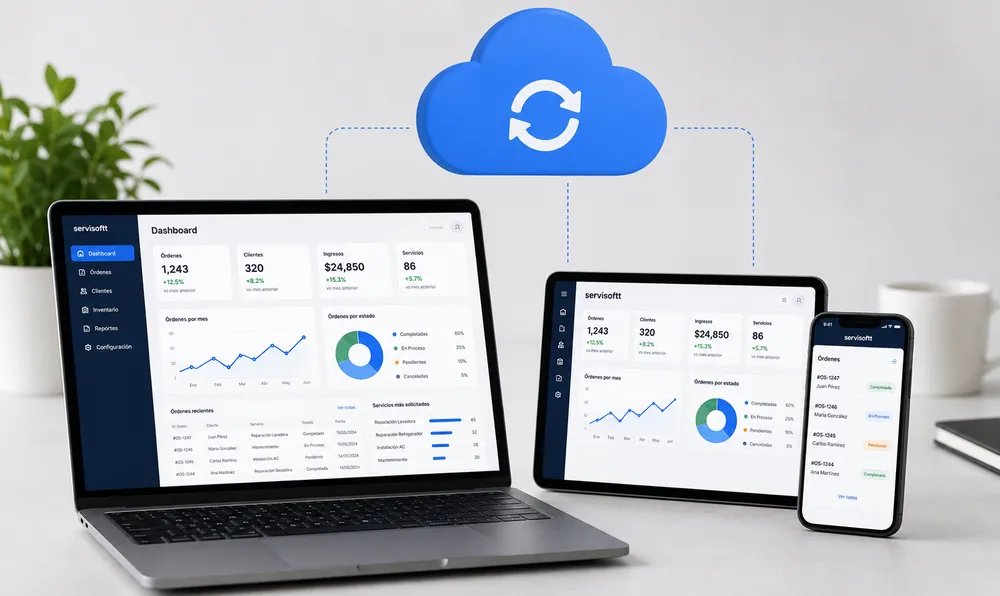
When every order updates instantly, the whole team sees the same thing at once. The technician changes the status from their phone and, at that moment, the owner sees it on their dashboard and the customer sees it in their QR tracking. No more "let me check and call you back".
How to make the leap, step by step
Switching systems is scary, but it's simpler than it seems:
- Choose a cloud system. Avoid the ones that require installing programs or buying servers. You should be able to log in from the browser.
- Start with work orders. Record new repairs in the system from day one. There's no need to migrate all your history.
- Load your main spare parts. That activates inventory control and stock alerts.
- Add your team. Give your technicians access to update their orders. In a day they're up and running.
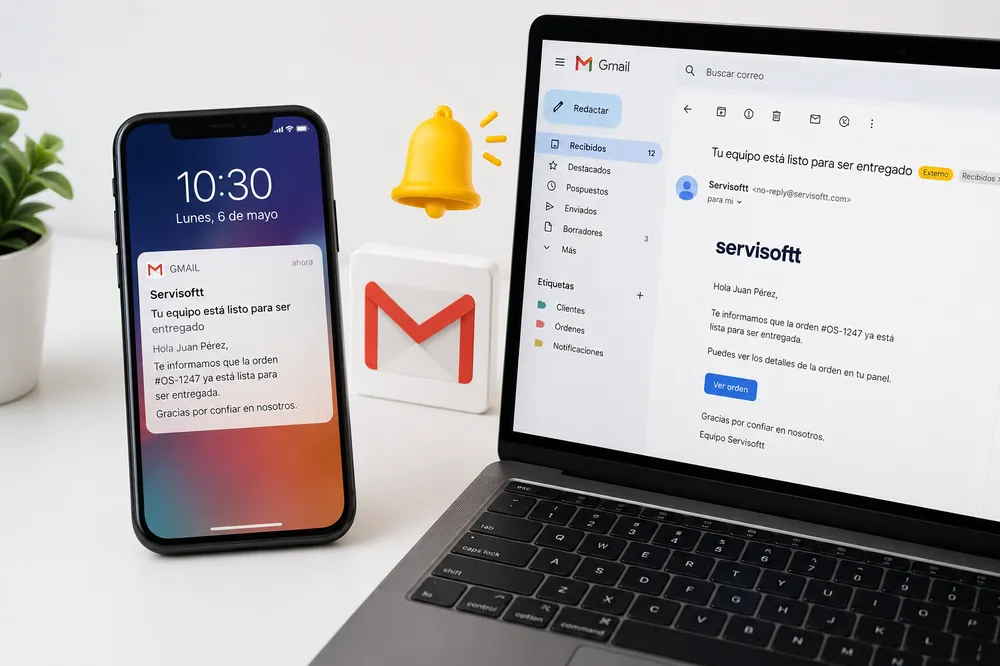
- Turn on customer tracking. Start handing out the QR and sending notifications. This is where the customer notices the change.
You don't need to migrate ten years of notebooks. Start with what's new and, within a few weeks, the system is already your natural way of working.
What if my shop is small?
Even better. The sooner you get organized, the less disorder you accumulate. A system like Servisoftt works the same for a one-person shop as for one with several branches, and it costs $20/month with no setup fee. It's not a "big shop" investment: it's how your small shop looks and works like a big one.
Conclusion
Paper and Excel got you this far, but they won't take you further. Moving to a real-time system is the change that shows fastest: in your order, in your time and on your customers' faces.
Want to try it? Request a free demo and start running your shop in real time.
Put this into practice with Servisoftt
Cloud software for repair shops from $20/month. Free demo, no commitment.
Request a free demo